OMEGA OSXL-101 SERIES
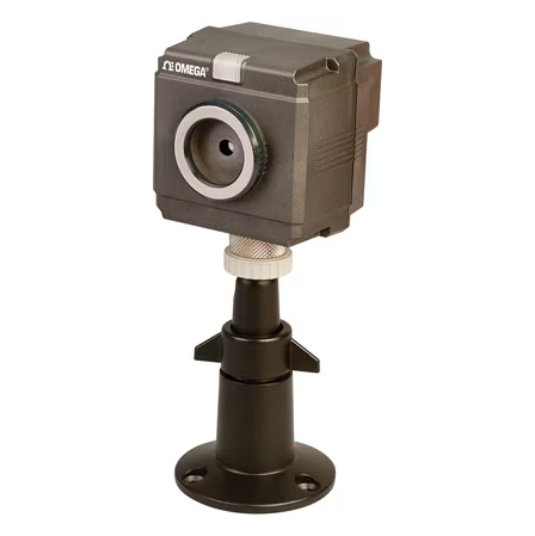
The OSXL-101 Series is a robust, stationary thermal imaging solution that utilizes a 48 x 47 pixel thermopile array to measure real-time temperatures up to 800°C. It is designed for seamless integration into industrial environments, offering Ethernet communication to connect up to four sensors to a single PC for simultaneous monitoring. The device features a rugged polycarbonate casing and can be upgraded with an optional NEMA 4 (IP65) stainless steel enclosure for harsh environments.
PRODUCT FUNCTIONS
- Monitoring Mode: The temperature data is outputted continuously by a command from the PC
- Capturing Mode: The temperature data is outputted row-by-row horizontally by a command from PLC, etc.
- Connectivity: Up to 4 sensors can be connected to a PC via LAN and viewer software allows you to monitor thermal images, measuring temperature and alarms.
Specifications
OMEGA OSXL-EX SERIES – KEY SPECIFICATIONS
- Accuracy:± 3 °C (± 5.4 °F)
- Accuracy Detail: ± 2% of reading or ± 3° C whichever larger (at ambient temp of 25°C ± 2° C)
- Alarm: 2 SPST (non-voltage contact output)
- Application Software: Requirements OS: Windows® 2000 (SP4 or later)/XPNista (Windows XP or later recommended) NET Framework 2.0 or later (required) Memory Windows 2000/XP: 1 GB recommended (512 MB or more) Windows Vista: 2 GB or more recommended CPU Windows 2000/XP: 1.5 GHz or faster recommended Windows Vista: 2 GHz or faster recommended Basic Function When the LAN settings are completed correctly between a PC and the thermal image sensor and the LAN communication is established, thermal image screen will appear; the thermal images up to 4 sensors can be displayed with this application software, and the simultaneous display for images and the individual display for each sensor can be switched. Various Settings of Sensor LAN settings/alarm settings of the sensors/emissivity setting Data Storage Image temperature data storage (temperature data/csv for 2256 pixels)/ Thermal image screen storage (JPEG) Image Processing Screen averaging/spatial smoothing/ median filter/rotation/maximum and minimum values indications Trend Graph By specifying a graph area, data can be displayed by the trend graph and the graph data can be stored by setting. (max 8 areas) Alarm Settings by the Application Software • By specifying a zone, alarms can be set (max 8 areas) • The zone alarm as set in the application software are separate and in addition to alarms set in the sensor
- Capturing Mode: PLC Connection
- Capturing Mode Note: PLC Connection • The temperature data is outputted row-by-row Horizontally by a command from PLC
- Commodity Code: 9027.50.2000
- Data Interface: Ethernet
- DepthValue: 6.7
- Detector Dimension: 48 x 47 Pixels
- Detector Type: Thermopile array
- ECCN: EAR99

Reviews
There are no reviews yet.